
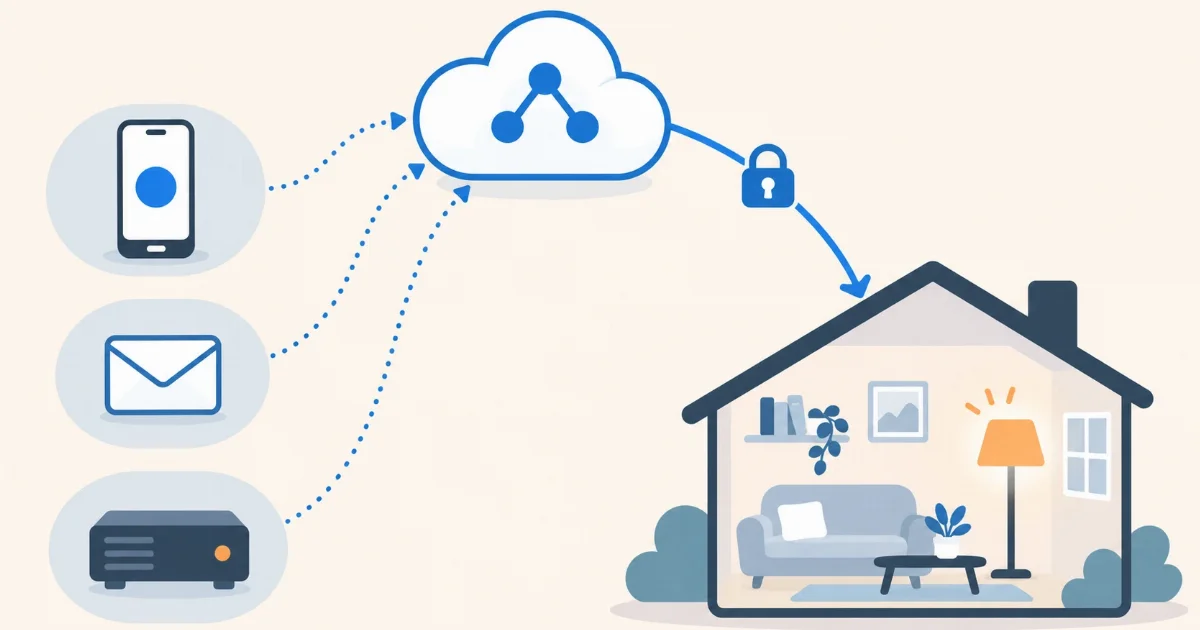

A phone shortcut that turns the heating on, a web form that opens the blinds, an outside service that warns you with a red light when something breaks… All of that is done with webhooks: a secret address of your Home Assistant that triggers an automation when someone calls it. With Home Assistant in the cloud they work from minute one, with no open ports and nothing to set up.
What a webhook is
It’s the simplest way for one service to tell another that something happened. Instead of asking “anything new?” every so often, the service calls a web address at the right moment, and whoever receives it acts. In Home Assistant that address looks like this:
https://ha.YOUR-ID.coiaca.app/api/webhook/YOUR-WEBHOOK-IDThe last part, the webhook ID, is yours to choose and works like a password: anyone who knows it can trigger the automation. That’s why it should be long and hard to guess.
Why it’s easier in the cloud
For an internet service to call your Home Assistant, your Home Assistant has to be on the internet. If it runs at home, that means opening a port on the router, having a fixed address or using a service in between. If it runs in the cloud, it already has its HTTPS address with a valid certificate: the webhook works with nothing else to configure.
Your first webhook, step by step
- In Home Assistant, go to Settings → Automations & scenes and create a new automation.
- As the trigger, choose Webhook. Home Assistant suggests a random ID: keep it or replace it with one just as long.
- Open the trigger options (the cog) and turn off local-network-only access, which is on by default. Otherwise calls from the internet are rejected.
- Add the action you want, for example turning a light on, and save.
If you prefer YAML, in automations.yaml it looks like this:
- alias: Webhook - turn on the hallway light
  triggers:
    - trigger: webhook
      webhook_id: "hallway-7f3k9q2xw8m4"
      allowed_methods:
        - POST
      local_only: false
  actions:
    - action: light.turn_on
      target:
        entity_id: light.hallway
To test it, from any computer with a terminal:
curl -X POST https://ha.YOUR-ID.coiaca.app/api/webhook/hallway-7f3k9q2xw8m4If the light turns on, you’re done: any service that can call a web address can do the same.
Using the data that comes in
Many services send information along with the call, usually as JSON. Home Assistant puts it in trigger.json (and the address parameters in trigger.query). For example, if you call the webhook with {"brightness": 40}, the action can use that number:
  actions:
    - action: light.turn_on
      target:
        entity_id: light.hallway
      data:
        brightness_pct: "{{ trigger.json.brightness | default(100) }}"
And to test it:
curl -X POST -H "Content-Type: application/json" -d '{"brightness": 40}'
  https://ha.YOUR-ID.coiaca.app/api/webhook/hallway-7f3k9q2xw8m4
Four ideas to start with
- A phone shortcut. iPhone Shortcuts and apps like Tasker on Android can call a web address. A home-screen button, “Home in 20 minutes”, turns the heating on.
- Web automation services. Services that connect apps to each other (email, calendar, spreadsheets, forms) usually have a “call a webhook” action. For example: when an email with a certain subject arrives, a light blinks.
- Monitoring alerts. If you have a website or a server watched by a monitoring service, it can call the webhook when something goes down: a red light on your desk and a notification on your phone.
- Your own scripts. A script on another computer, a board or a server can tell Home Assistant when a task finishes, with nothing to install: one HTTP call is enough.
Security: three rules
- Treat the ID like a password. Long, random and not shared. If it leaks, change it in the automation and that’s it.
- One webhook per use. That way, if you have to change one, you don’t break the others.
- Nothing critical without one more condition. Don’t use a webhook alone to open your front door or disarm an alarm. If you do, add a condition, for example that someone in the family is at home according to the app.
With Coiaca Cloud HA
Coiaca Cloud HA gives you the official, unmodified Home Assistant in your own private instance in the cloud, with its HTTPS address from minute one. Webhooks work as they are: create the automation, turn off local-only access and any internet service can call it.
With the 30-day free trial you can connect your first services and set up your alerts before the first payment. If it’s not for you, cancel before day 31.
Try Coiaca Cloud HA free for 30 days
Sources
Coiaca is not affiliated with the Open Home Foundation or Nabu Casa. Trademarks belong to their owners.