
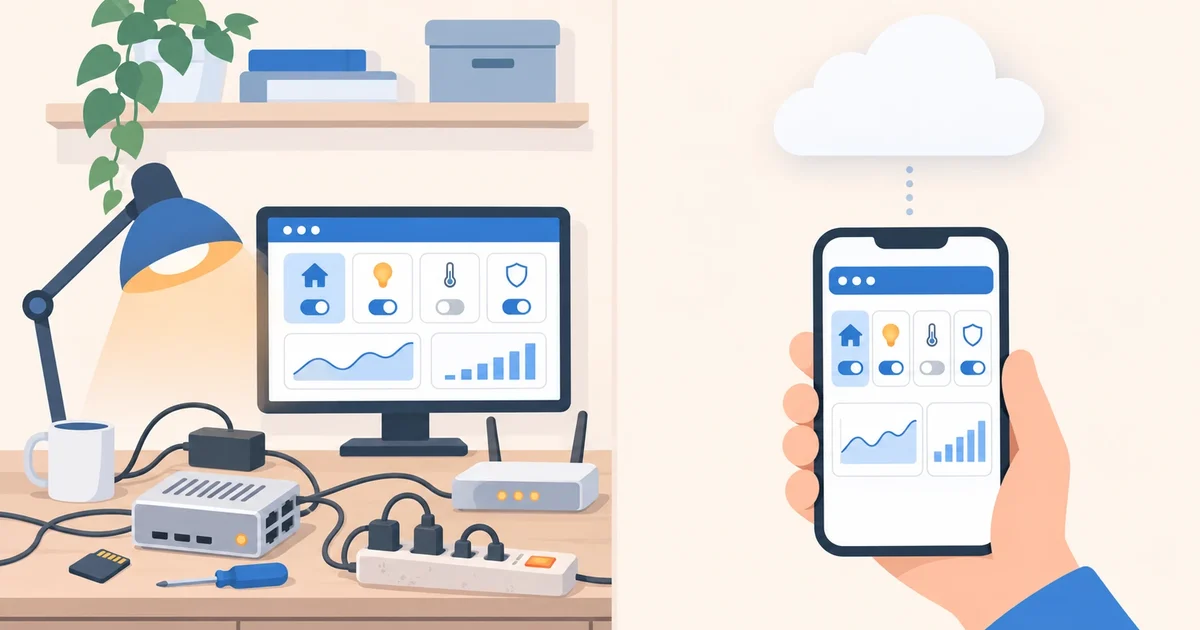

Ask any Home Assistant group what hardware people run it on, and you’ll get dozens of different answers: a Raspberry Pi, a second-hand mini PC, an old laptop, a rack server. They all work, and they all have one thing in common: someone has to maintain them. There’s another option, running Home Assistant in the cloud. It’s the same Home Assistant; what changes is where it lives and who looks after the hardware. Here’s an honest comparison to help you decide.
The two options
- At home: you install Home Assistant OS on your own hardware. Most commonly a Raspberry Pi 4 or 5, or Home Assistant Green, the official device that comes ready to plug in.
- In the cloud: your Home Assistant runs on a provider’s server, with its own secure address. You use it the same way, from the browser or the app.
What hardware at home really costs
In money, the hardware is cheap. A Raspberry Pi with its accessories costs around €100–120, and Home Assistant Green is €179 including tax (US$199 before tax). It uses little power: the Green, for example, draws under 2 watts at idle. In the long run, hardware at home costs less than a subscription.
The cost is somewhere else, in the work you don’t see:
- Installation. Flash the image to the card, connect a network cable, wait, and if it doesn’t boot, flash it again or try another card. The official guide itself allows for that.
- The SD card. On a Raspberry Pi, Home Assistant writes to it all day, and cards wear out. When it fails, your home stops working until you replace it and restore.
- Backups. Home Assistant makes them, but if they’re stored on the same machine and the machine dies, they die with it. You have to remember to copy them elsewhere.
- Access from outside. To use the app away from home you need to set up a VPN or a tunnel, or pay for a service. We cover it in how to access Home Assistant away from home without opening ports.
- Outages. A power or internet cut, a router that reboots, an update that goes wrong… and you find out when you’re already away.
If you enjoy tinkering, all of this is part of the fun. If you just want your home to work, it’s time and worry you don’t get back.
Side by side
| At home | In the cloud (Coiaca Cloud HA) | |
|---|---|---|
| Upfront cost | €100–179 of hardware | €0 |
| Monthly cost | Electricity, plus remote access if you pay for it | From €9.99 |
| Setup | Several hours | Automatic, in about 15 minutes |
| Access from outside | You set it up or pay for it | Included, with HTTPS and no open ports |
| The hardware | You maintain it | We maintain it |
| If the internet goes down at home | Keeps working locally | Stops controlling your home until it’s back |
| Marketplace (formerly HACS) | Included | Included |
| Home Assistant apps | Available with Home Assistant OS | Not available |
Hardware at home suits you if…
- Your internet connection drops often, or you have automations that can’t stop during an outage.
- You use Z-Wave, USB sticks, local RTSP cameras or devices that only work inside your network.
- You need Home Assistant apps, which only exist on Home Assistant OS.
- You enjoy building and maintaining it.
The cloud suits you if…
- You want to start with Home Assistant without buying or installing anything.
- You already use it and you’re tired of SD cards, power cuts and overdue backups.
- Your devices are Wi-Fi with MQTT (Tasmota, Shelly, ESPHome over MQTT…) or connect through their manufacturer’s cloud.
- You want to control a second home without leaving a server there.
Try it with no commitment
Coiaca Cloud HA is official, unmodified Home Assistant on your own private instance. It includes an MQTT broker with TLS already set up, the Marketplace, a web file manager and one-click backups you can download whenever you like. You update it with one click, with automatic rollback if the new version doesn’t start. And if one day you’d rather move to hardware at home, you restore your backup there and you’re done: there’s no lock-in.
Meet Coiaca Cloud HA: your Home Assistant in the cloud, ready in about 15 minutes, with a 30-day free trial.
Sources
- Home Assistant: installation types
- Home Assistant: installing on a Raspberry Pi
- Home Assistant Green
Coiaca is not affiliated with the Open Home Foundation, Nabu Casa or Raspberry Pi. Home Assistant and Raspberry Pi are trademarks of their owners.