
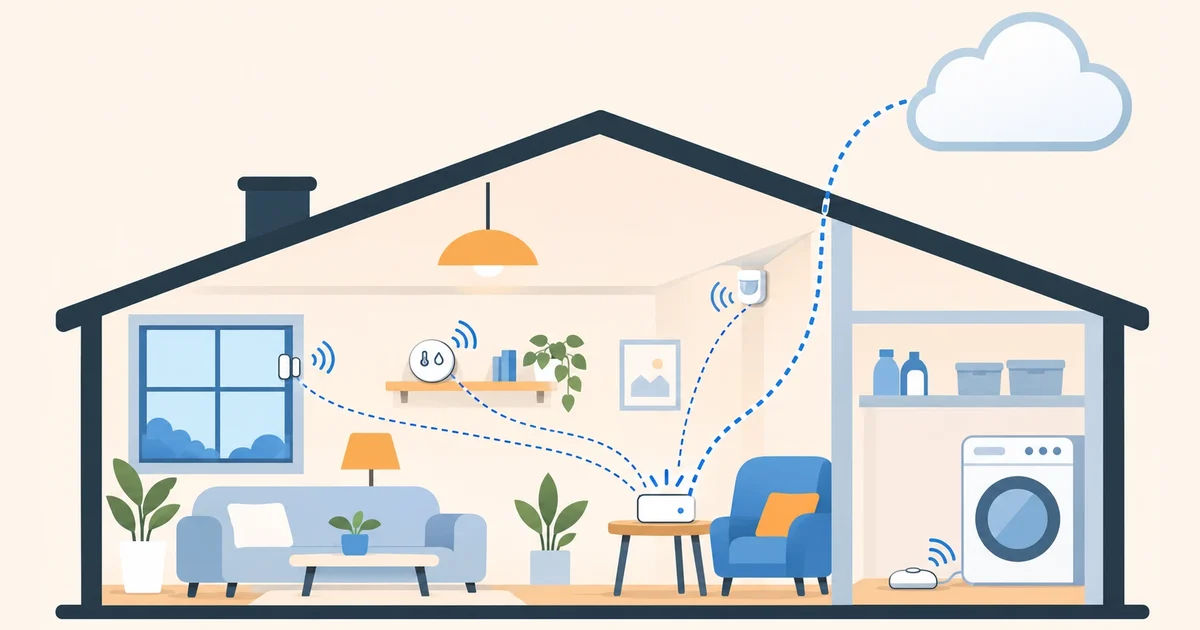

A temperature sensor, one on the door, another under the washing machine… Zigbee sensors are among the cheapest things in a smart home, run on a battery for a long time and don’t depend on the manufacturer’s cloud. And they work with Home Assistant in the cloud: all you need at home is a network Zigbee coordinator.
How they reach the cloud
Zigbee sensors don’t use your Wi-Fi: they talk over radio to a coordinator. If the coordinator is a network one, like the SMLIGHT SLZB-06M, it connects to your router over Ethernet or Wi-Fi, and Home Assistant’s Zigbee integration (ZHA), on your cloud instance, connects to it over the internet. That’s how we use it. We explain it step by step in Zigbee with Home Assistant in the cloud.
Once the coordinator is connected, you add sensors the same way as with Home Assistant at home: the sensor doesn’t know where Home Assistant is.
The four sensors that pay off most
Temperature and humidity
The most useful one to start with. One per room tells you where it’s cold, when to air out the bathroom or whether the bedroom is too dry. With its temperature, the heating can decide room by room instead of by the hallway thermostat.
Door and window
Two pieces: one on the frame and one on the door or window, with a magnet. They know whether it’s open or closed. Use them to turn off the radiator when you open the window, warn you if the front door was left open or turn on the closet light.
Motion
They detect someone walking by. The classic automation: at night, when you walk down the hallway, the light comes on dimly and turns itself off after two minutes. Note: battery ones detect motion, not presence; if you sit still reading, they stop seeing you.
Water leaks
A flat disc on the floor, under the washing machine, the dishwasher or the water heater. If it gets wet, you get an alert on your phone. It’s the least used sensor and the one that can save you the most.
Which brands to look at
There are Zigbee sensors from SONOFF, Aqara, Tuya, Philips Hue, IKEA and many other brands. Before buying, check two things:
- That it says Zigbee. Many cheap sensors are Wi-Fi and only work with the manufacturer’s app, or need their own hub. IKEA’s new ones use Matter over Thread, not Zigbee.
- That the model is on the compatibility list. Blakadder’s Zigbee device database tells you which models work with ZHA.
A detail about Zigbee networks: devices plugged into the mains (plugs, switches, bulbs) act as routers and extend the network; battery sensors don’t. If a sensor is far from the coordinator, a Zigbee plug halfway solves it. Watch out with Aqara sensors: the ZHA documentation warns that they don’t get along with routers from some brands, and lists them. If one keeps dropping off, try pairing it close to the coordinator.
How to add a sensor
- In Home Assistant, go to Settings → Connectivity → Zigbee and select Add device, at the bottom right. Home Assistant starts listening.
- Put the sensor in pairing mode, which means resetting it to factory defaults as its manual says. On almost all of them you hold its button for a few seconds until the light blinks.
- When it joins the network, it shows up on that same page with its entities: temperature, humidity, battery… Give it a name and an area.
Pair each sensor close to where it will stay, or at least close to a router: that way it joins the network through the path it will use later.
Three automations to start with
- Water leak → phone alert. Trigger: the leak sensor turns “wet”. Action: a notification to the Home Assistant app of everyone in the house.
- Window open → radiator off. Trigger: the window sensor has been open for a minute. Action: turn off that room’s radiator, and back on when it closes. If you don’t have a window sensor yet, in 5 Home Assistant helpers we explain how to detect it from the temperature drop.
- Low battery → alert. Every sensor has a battery entity. An automation that warns you when any of them drops below 15% saves you from finding a dead sensor right when you needed it.
With Coiaca Cloud HA
Coiaca Cloud HA gives you official, unmodified Home Assistant on your own private cloud instance, with ZHA to connect your network Zigbee coordinator. Leak, door and battery alerts reach your phone wherever you are, with no server at home.
With the 30-day free trial you can connect your coordinator, pair your first sensors and build your automations before the first payment. If it’s not for you, cancel before day 31.
Try Coiaca Cloud HA free for 30 days
Sources
- Home Assistant: Zigbee Home Automation (ZHA)
- Zigbee Device Compatibility Repository (Blakadder)
- SMLIGHT: network Zigbee coordinators
Coiaca is not affiliated with the Open Home Foundation or Nabu Casa. The brands mentioned belong to their owners.